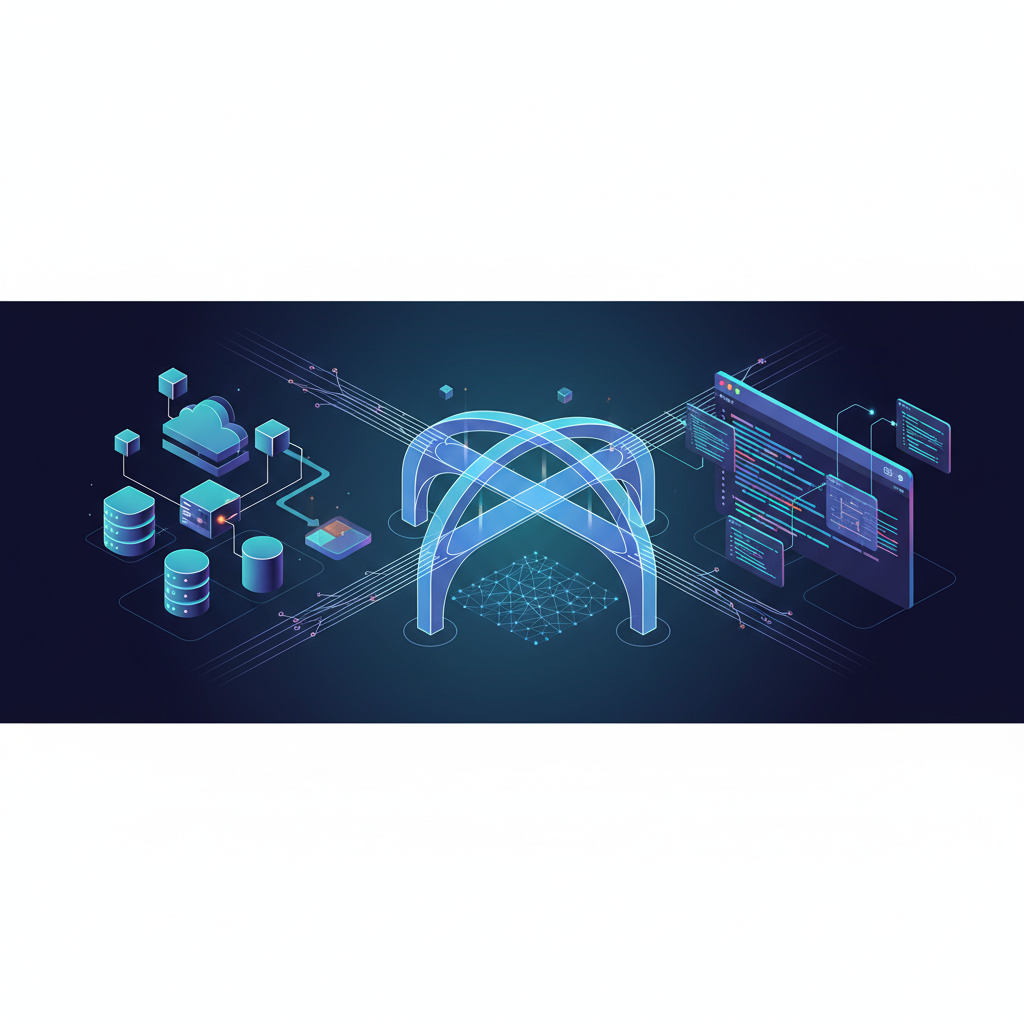
For years, developers have chased a dream: a seamless, dynamic link between their high-level system architecture and the nitty-gritty details of their codebase. We've all been there – staring at an outdated cloud infrastructure diagram, then diving into a sprawling repository, trying to mentally connect the dots. It's like trying to navigate a foreign city with a map from a decade ago. Frustrating, inefficient, and prone to error.
I remember a project where our microservices architecture was a thing of beauty on paper. We had intricate diagrams showing every service, every queue, every database. But as the project evolved, so did the code. New services were added, old ones refactored, and suddenly, our pristine diagrams became relics of a bygone era. A new hire spent weeks just trying to understand the current state of affairs, constantly asking, "Does this diagram still reflect reality?" The answer was almost always a hesitant "mostly."
This disconnect isn't just an inconvenience; it's a significant bottleneck in development. It slows down onboarding, complicates debugging, and makes architectural reviews a guessing game. The holy grail of devdocs isn't just about having diagrams; it's about having diagrams that are always, unequivocally, in sync with your code. It's about connecting cloud infrastructure maps directly to code repositories.
The Challenge: Bridging the Gap Between Design and Code
The core problem lies in the inherent dynamism of software development. Code changes constantly, but documentation often lags behind. Manual diagramming is time-consuming and quickly becomes obsolete. Automated tools exist, but they often produce generic, unhelpful visuals or require extensive configuration that defeats the purpose.
Consider a typical scenario: a new feature requires integrating with an existing AWS SQS queue. The architect draws a diagram, the developer implements it, but what if the queue name changes? Or the message format? Or a new consumer is added? Without a direct link, the diagram remains blissfully unaware of these critical updates. The "source of truth" becomes fragmented, residing partly in a drawing tool, partly in a wiki, and mostly in the heads of a few senior engineers.
This is where ArchToCode steps in, offering a revolutionary approach to code visualization. It's an AI-powered application designed to analyze your source code and generate living, interactive diagrams. Imagine connecting your GitHub repository, and ArchToCode instantly renders a flowchart of your backend API architecture, a sequence diagram of a critical user flow, or an ER diagram of your database schema. But it doesn't stop there.
ArchToCode: Your Dynamic Infrastructure Map
ArchToCode doesn't just draw pictures; it creates intelligent, interactive maps of your code. With its robust repository integrations, you can connect your GitHub repositories or even local folders, allowing the AI to analyze your actual codebase. This is crucial because it means your diagrams are always derived from the latest version of your code, ensuring accuracy and relevance.
Key Capabilities for Dynamic Documentation:
AI Diagram Generation: ArchToCode uses over 30 built-in prompt templates and supports 16 different diagram types, from flowcharts and sequence diagrams to class and state diagrams. This means you can visualize almost any aspect of your cloud infrastructure and its underlying code.
Repository Integration: Connect your GitHub repos or local folders. ArchToCode analyzes your source code, understanding its structure and relationships, to generate meaningful diagrams.
Interactive Diagrams: These aren't static images. You can click nodes to select them, view details in the right panel, and even "Drill Down" to generate sub-diagrams for specific components. This allows you to explore your architecture at various levels of granularity.
Source Code Explorer: This is where the magic truly happens. When you select a node in a diagram, ArchToCode's Source Code Explorer panel opens, showing you the exact lines of code associated with that node. It analyzes your entire repository to find related files, categorizing them by direct imports, references, mentions, and more. This direct link from diagram to code is the holy grail we've been seeking.
AI-Powered Diagram Explanation: Need to understand a complex diagram quickly? ArchToCode can provide a comprehensive, 50+ sentence AI-generated explanation of your diagram, covering its overall purpose, key components, data flow, control flow, and even design patterns.
Local Agent Bridge: For sensitive or private code, ArchToCode offers a Local Agent Bridge. This allows you to connect to AI agents running on your local machine (like Claude Code, Gemini CLI, Ollama, or OpenAI Codex). Your code never leaves your machine, ensuring complete privacy while still benefiting from powerful AI visualization.
A Story of Transformation: From "Mostly" to "Exactly"
Let's revisit that project with the outdated microservices diagrams. After adopting ArchToCode, the transformation was remarkable. We connected our GitHub repository, and within minutes, we had a high-level overview of our services. Then, we started drilling down.
Clicking on a "User Service" node in the flowchart immediately showed us its associated code files. From there, we could generate a sequence diagram of the "User Registration" flow, revealing the exact API calls and database interactions. When a developer refactored a critical function, the diagram, when regenerated, reflected those changes. The "mostly" became "exactly."
Onboarding new team members went from weeks to days. They could explore the system visually, then jump directly into the relevant code, understanding the context instantly. Debugging complex issues became a collaborative effort, with everyone looking at the same, up-to-date visual representation of the system, directly linked to the code causing the problem.
ArchToCode also helped us identify architectural smells. A seemingly simple service, when visualized, revealed an unexpected number of dependencies, prompting a refactoring discussion. The ability to control diagram complexity and node limits meant we could start with a simple overview and gradually increase detail as needed, preventing overwhelming visuals.
Beyond Diagrams: Understanding and Collaboration
The true power of ArchToCode isn't just in generating diagrams; it's in fostering a deeper understanding of your codebase and improving collaboration. When everyone is literally on the same page – a page that's dynamically generated from the code itself – miscommunications decrease, and productivity soars.
It's about making your code more accessible, not just to developers, but to product managers, QA engineers, and even business stakeholders who need a high-level understanding of the system. The interactive nature allows non-technical users to explore without getting lost in code, while technical users can dive as deep as they need to.
ArchToCode is constantly evolving, with features like its robust error recovery system, which uses AI to diagnose and suggest fixes for Mermaid syntax errors, ensuring you always get a usable diagram. And for those who love to tinker, the extensive theming and styling options allow you to customize your diagrams to match your brand or personal preference.
If you're curious to see ArchToCode in action, check out their YouTube channel for tutorials and demonstrations. It's a great way to visualize how this tool can transform your development workflow.
Conclusion: The Future of DevDocs is Here
The quest for the holy grail of devdocs – connecting cloud infrastructure maps directly to code repositories – is no longer a distant dream. ArchToCode has made it a tangible reality, offering a powerful, AI-driven solution that keeps your documentation alive and in sync with your ever-evolving codebase.
Stop wrestling with outdated diagrams and fragmented knowledge. Embrace a future where your architecture is a living entity, easily understood, explored, and maintained. It's time to bring clarity, efficiency, and joy back to software documentation.
Ready to experience the future of code visualization? Try ArchToCode today and transform your devdocs from static relics into dynamic, intelligent maps of your software.